
TL;DR
Ergonomic backpacks for students are designed to distribute weight properly, reducing back strain and promoting healthy posture. Modern options include smart features and eco-friendly materials to enhance comfort and safety.
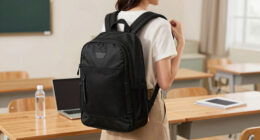
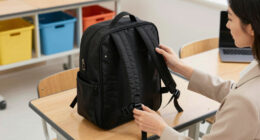
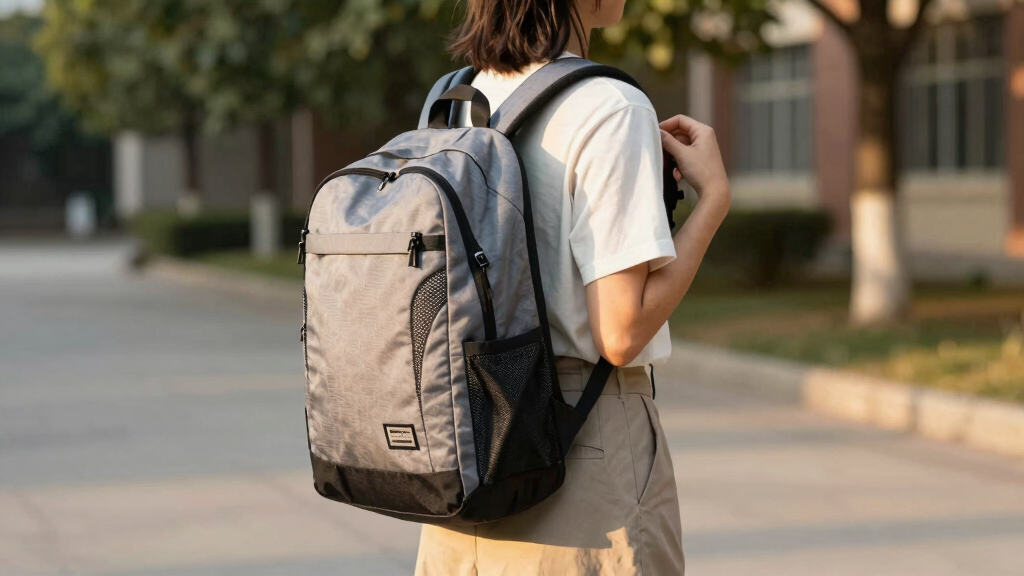
Imagine carrying a backpack that feels like a supportive hug rather than a heavy brick. That’s the promise of ergonomic backpacks for students. They’re not just about style — they’re about health, comfort, and making sure your back doesn’t pay the price for daily school routines.
If you’ve ever seen a student hunched over or grimacing while lugging a heavy bag, you already know how important this is. In this article, you’ll learn how to spot a truly ergonomic backpack, what recent innovations are changing the game, and practical tips to keep your back happy through the school year.
Always aim for a backpack weighing no more than 10-15% of your body weight.
Look for adjustable straps, padded panels, and a contoured shape for true ergonomic support.
Modern backpacks include smart features like charging ports and ventilation, making them both functional and comfortable.
Pack heavier items close to your back and distribute weight evenly to prevent strain.
Replacing your backpack every 2-3 years ensures continued comfort and safety.
How to Pick an Ergonomic Backpack That Actually Helps
Choosing an ergonomic backpack isn’t just about finding the flashiest design. It’s about fit, weight, and features that support your body. For example, a student carrying heavy textbooks benefits from a bag with padded, adjustable straps and a contoured back panel that follows the curve of the spine.
Look for backpacks that distribute weight evenly across your shoulders and hips. A good rule of thumb: the bag shouldn’t weigh more than 10-15% of your body weight. For a 100-pound student, that’s about 10-15 pounds max.
Here’s a quick checklist:

JanSport Laptop Backpack – Computer Bag with 2 Compartments, Ergonomic Shoulder Straps, 15” Laptop Sleeve, Haul Handle – Black
- Trusted Brand with Lifetime Warranty: Includes lifetime warranty for repairs or replacements
- Iconic Ergonomic Design: Features S-curve shoulder straps and padded back panel
- Durable and Stylish Materials: Made with durable fabric, zippers, and straps
As an affiliate, we earn on qualifying purchases.
As an affiliate, we earn on qualifying purchases.
Top Features That Make a Backpack Ergonomic and Comfortable
| Feature | Why It Matters |
|---|---|
| Adjustable straps | Allow customization to ensure the backpack fits snugly against your body, reducing unnecessary movement that can cause strain. Properly fitted straps prevent uneven pressure distribution, which is critical for avoiding shoulder and neck pain. Without adjustability, a backpack may be too loose or too tight, leading to discomfort or poor posture over time. |
| Padded shoulder straps & back panel | Provide cushioning to reduce chafing and pressure points, especially during long walks or heavy loads. This padding acts as a shock absorber, minimizing the impact on your muscles and joints. However, overly thick padding can sometimes restrict airflow, so finding a balance that offers comfort without excessive heat buildup is essential. |
| Contoured shape | Designed to follow the natural curve of the back, this shape helps maintain proper posture by supporting the lower back and distributing weight evenly. This reduces the tendency to slouch or lean forward, which can lead to long-term issues. A well-contoured backpack encourages proper alignment, but if it doesn’t fit your specific back shape, it might still cause discomfort, so personal testing is key. |
| Lightweight materials | Minimize added weight from the backpack itself, making it easier to carry without overloading. This allows students to pack only what’s necessary, decreasing the risk of strain caused by excessive weight. Keep in mind, lightweight fabrics may sometimes be less durable, so balancing weight reduction with durability is important for longevity. |
| Multiple compartments | Help organize items efficiently, preventing uneven load distribution that can cause imbalance and strain. Proper organization ensures heavier items are closer to the back, reducing torque on the spine and shoulders. Overloading one compartment or uneven packing can shift weight unexpectedly, leading to discomfort or injury. |
What’s New? Exciting Developments in Student Backpacks
Recent trends are turning backpacks into tech-smart, eco-friendly tools. Imagine a bag with a built-in USB port, so students can charge their devices during class — no more frantic searches for outlets.
Innovations include sensors that monitor how much weight your bag carries and give feedback via a smartphone app. This technology can alert students when they’re carrying too much weight, encouraging better packing habits and preventing injury before discomfort arises. While these features add convenience, they also require maintenance and can increase the cost, so weighing the benefits against your budget is wise.
Breathable, ventilated back panels are also gaining popularity. These panels promote airflow, reducing sweating and discomfort during hot days, which can help students stay comfortable and focused. However, increased ventilation might slightly compromise the backpack’s water resistance, so consider your climate and needs.
Design-wise, modular backpacks that allow customization of compartments or colors appeal to students’ desire for personal expression while maintaining practicality. Eco-conscious fabrics, like recycled polyester, are also on the rise, offering durability with a reduced environmental footprint while supporting sustainable choices. These eco-friendly materials often have a different feel and care requirements, so understanding how to maintain them ensures longevity.
How to Pack Your Backpack for Comfort and Safety
- Place heavier items close to your back, in the middle of the pack. Think textbooks and laptops. This positioning helps keep the center of gravity near your spine, which reduces strain on your shoulders and back during movement. Proper placement minimizes the tendency to lean or twist, which can cause muscular imbalances over time.
- Distribute weight evenly across all compartments to prevent leaning or twisting. An uneven load can cause muscular imbalances and lead to long-term postural problems. Overloading one side or stacking items unevenly can shift your center of balance, increasing the risk of falls or injury.
- Use the adjustable straps to tighten the bag so it sits snugly against your back. A secure fit minimizes shifting while walking, which can cause discomfort or even falls. Properly adjusted straps also help maintain the backpack’s position, reducing strain on your shoulders and back during prolonged wear.
- Keep loose or sharp objects in protective cases to avoid poking or puncturing the bag, which could compromise its structure and your safety. Sharp objects can also cause injury if they come into contact with your body or other items in your bag, so proper storage is crucial.
- Regularly check that straps are not worn or fraying, and replace if needed. Worn straps can suddenly break, causing the load to shift unexpectedly and increasing injury risk. Regular inspections and maintenance ensure your backpack remains a safe and supportive tool throughout the school year.
For example, one student found that switching from a bulky, overstuffed bag to a slim, well-organized one with a weight of just 8 pounds drastically reduced shoulder pain after a month. This highlights the importance of thoughtful packing and regular maintenance of your backpack.
Compare Popular Ergonomic Backpack Brands for Students
| Brand | Key Features | Price Range | Best For |
|---|---|---|---|
| Thule Subterra | Adjustable straps, padded back, water-resistant | $80-$150 | Students needing durability and tech features |
| Everki Studio | Lightweight, ergonomic shape, multiple compartments | $60-$120 | Commuters and tech-heavy students |
| Matein Travel | USB charging port, ventilated back panel | $50-$100 | Budget-conscious students with tech needs |
Frequently Asked Questions
How do I know if a backpack is truly ergonomic?
Check for adjustable straps, padded back panels, and a contoured shape that fits your back’s natural curve. It should feel snug but not tight, and distribute weight evenly.How much weight is safe for a student’s backpack?
The general rule is no more than 10-15% of the student’s body weight. For example, a 100-pound student should carry no more than 10-15 pounds.Can ergonomic backpacks prevent back pain?
Yes, especially when used correctly and packed properly. They support good posture and reduce strain, lowering the risk of long-term musculoskeletal issues.Are expensive ergonomic backpacks worth it?
Often yes, because they tend to feature better materials, more adjustable support, and innovative features. However, there are also budget-friendly options that meet ergonomic standards.How often should I replace my backpack?
Every 2-3 years, or sooner if straps or zippers show signs of wear. Regular replacement helps maintain comfort and safety.Conclusion
Choosing an ergonomic backpack isn’t just about avoiding discomfort — it’s about protecting your long-term health. A well-designed bag, packed thoughtfully, can make every school day easier and safer.
Next time you shop, focus on fit, features, and quality. Your back will thank you over the years — and you’ll carry your weight with confidence.