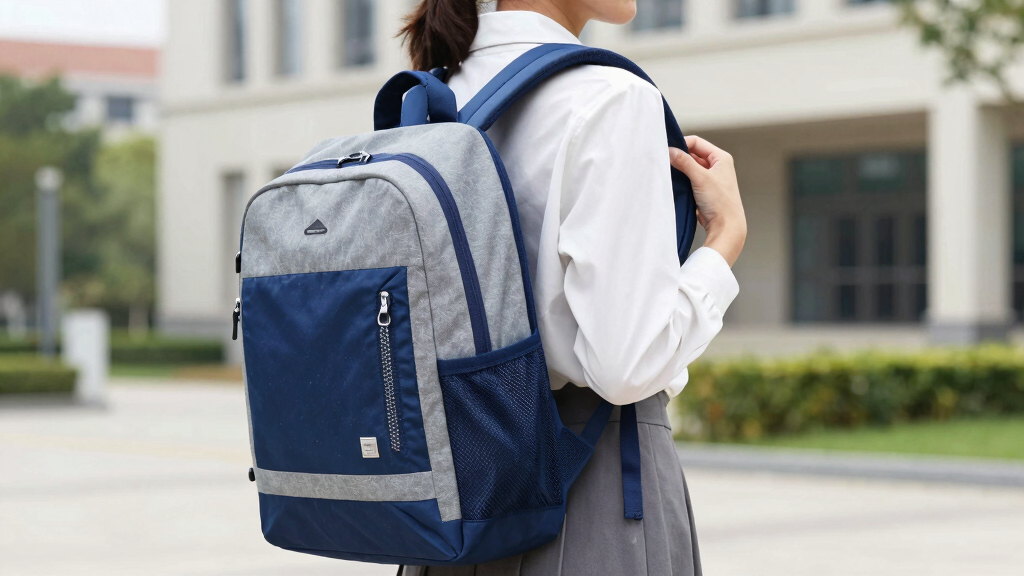

This guide helps students and parents select an ergonomic backpack that promotes good posture and reduces back strain. It covers key features to look for, how to evaluate options, and practical tips for making the best choice. Suitable for beginners seeking a comfortable, health-conscious backpack solution, this task can be completed in about 15 to 30 minutes.

Get the little things that make your day delivered free with Prime
- Fast, free delivery on millions of items
- Prime Video, Amazon Music and more included
- Member-only deals all year
Difficulty: Beginner | Time: 15-30 minutes
What You’ll Need
Tools & Materials:
- Measuring tape or ruler
- Possibly a pen and paper for notes
Knowledge:
- Basic understanding of ergonomic principles
- Awareness of student’s daily load and activities
Have the student’s typical backpack weight and dimensions in mind. Consider any specific health needs or preferences, such as padding or support features.
As an affiliate, we earn on qualifying purchases.
Before You Start
Check the current backpack for signs of discomfort or strain for the student. Measure shoulder width and torso length if possible, to ensure proper fit. Avoid choosing a backpack that is too small or too large for the student’s frame.
Step-by-Step Instructions
Step 1: Assess the student’s body measurements
Measure the student’s torso length from the base of the neck to the top of the hips, and shoulder width across the back. Record these measurements to help select a size-appropriate backpack.
Tip: Use a flexible measuring tape to ensure accuracy. Record measurements for comparison when evaluating backpacks.
Check: You have accurate measurements that will guide the backpack size selection.
Step 2: Identify backpacks with ergonomic features
Look for backpacks with padded, adjustable shoulder straps, a padded back panel, and a waist or chest strap. Ensure the backpack has multiple compartments for weight distribution.
Tip: Prioritize backpacks with adjustable straps to customize fit. Avoid packs with single, non-padded straps or hard panels.
Check: The backpack has adjustable straps, padding, and multiple compartments.
Step 3: Check the backpack’s size against measurements
Compare the backpack’s dimensions with the student’s torso length and shoulder width. Ensure the pack’s height and width are proportionate and do not extend beyond the back or shoulders.
Tip: A good fit means the backpack should sit comfortably on the back without hanging below the hips or extending over the shoulders excessively.
Check: The backpack fits the student’s measurements comfortably without overhang.
Step 4: Evaluate weight and load capacity
Verify the backpack’s weight and maximum load capacity. Choose a pack that can comfortably carry the student’s typical school materials without exceeding 10-15% of their body weight.
Tip: Consider lightweight backpacks made from durable, lightweight materials to reduce overall load.
Check: The backpack can carry necessary items comfortably without excessive weight.
Step 5: Test the backpack’s comfort and fit
Have the student wear the backpack and adjust straps. Check that it sits evenly, the shoulder straps are snug but not tight, and the weight is distributed evenly across the back.
Tip: Ensure the backpack does not cause discomfort or pinching, and the load does not shift during movement.
Check: The student reports feeling comfortable, and the backpack stays securely in place during movement.
Common Mistakes to Avoid
- Choosing a backpack that is too large or too small for the student’s frame. — Use precise measurements and compare them to the backpack’s dimensions to ensure proper fit.
- Ignoring adjustable features and multiple compartments. — Select backpacks with adjustable straps and multiple compartments for better load management.
- Focusing solely on style or price instead of ergonomic features. — Prioritize ergonomic design elements like padding, support, and adjustability over appearance or cost.
Troubleshooting
Problem: Backpack causes shoulder pain or discomfort.
Solution: Adjust the straps for a snug, even fit; ensure the pack is not overloaded and that weight is evenly distributed.
Problem: Backpack hangs below hips or extends over shoulders.
Solution: Choose a pack with adjustable straps and verify measurements match the student’s torso length.
Problem: Backpack feels unstable or shifts during movement.
Solution: Use the waist or chest straps to stabilize the pack and distribute weight more evenly.
What Success Looks Like
The selected backpack sits comfortably on the back, with straps adjusted properly. It supports the student’s daily load without causing discomfort or strain. The backpack’s dimensions match the student’s measurements, and the student reports feeling supported and balanced when wearing it.
Next Steps
Encourage regular checks of the backpack fit as the student grows or if their load changes. Clean and maintain the backpack to preserve its ergonomic features. Consider replacing the backpack if it shows signs of wear or no longer fits properly.
Frequently Asked Questions
How do I know if the backpack is too heavy?
The backpack should weigh no more than 10-15% of the student’s body weight. If the student feels discomfort, strain, or difficulty carrying it, reduce the load or choose a lighter pack.
Can I use any backpack for ergonomic purposes?
No. Look for specific ergonomic features such as padded, adjustable straps, multiple compartments, and proper size relative to the student’s body.
How often should I check the backpack fit?
Check the fit at least once every few months or when the student’s load or size changes significantly to ensure continued comfort and support.
NFL season / tailgating Picks
team gear
As an affiliate, we earn on qualifying purchases.